Industry-Trading

Group 531

MOLOG FOR TRADING COMPANY

Simplify Your
Inventory
Management

Trading businesses with objectives to buy, sell, or resell products naturally have high volume and variety of inventories to catch up with customers demand. The variety of products comes with packaging in various shapes and sizes. Hence, effective inventory and warehouse management system are vital to the operation of trading businesses.

Edi

Connected with EDI

MOLOG WMS can easily connect to FTP, SFTP, HTTP, HTTPS, Plain Text File, JSON, SAP, Microsoft Dynamic, Oracle or even your Local ERP for more efficient and smooth operation. 

Scan Module

MOLOG WMS’s Scan Module uses barcode scanners to pick, pack, putaway and many other actions so you can manage your warehouse operation strategically and in a timely-manner. Moreover, Scan Module can collect inventory data in term of Lot, Batch, Serial No, as well as manufacture dates and expiration dates.

img retails 3
img retails 4

Easy to Use

MOLOG WMS is developed as a platform so it works on both Web Application and Android Application so you can access the data and dashboard anywhere and on any devices. For smoother operation, MOLOG WMS allows you and your business partners to access the orders and data in real-time.

Manage Orders Easily

MOLOG WMS allows you to manage various types of order, Wholesale, Retail on both online marketplace (Shopee, Lazada, JD Central) and offline. Our WMS can strategically pick products on FIFO, FEFO, or any other required condition.

img retails 5

Highlight Features

img 3pl icon 1

Connect to Marketplace

img retails 7

Connected
with ERP

img retails 6

Picking

img 3pl icon 4

Dashboard

img 3pl icon 5

FIFO/FEFO

img retails 8

Manage
Promotions

img 3pl icon 7

Generate
Reports

img 3pl icon 8

Wave Picking Feature

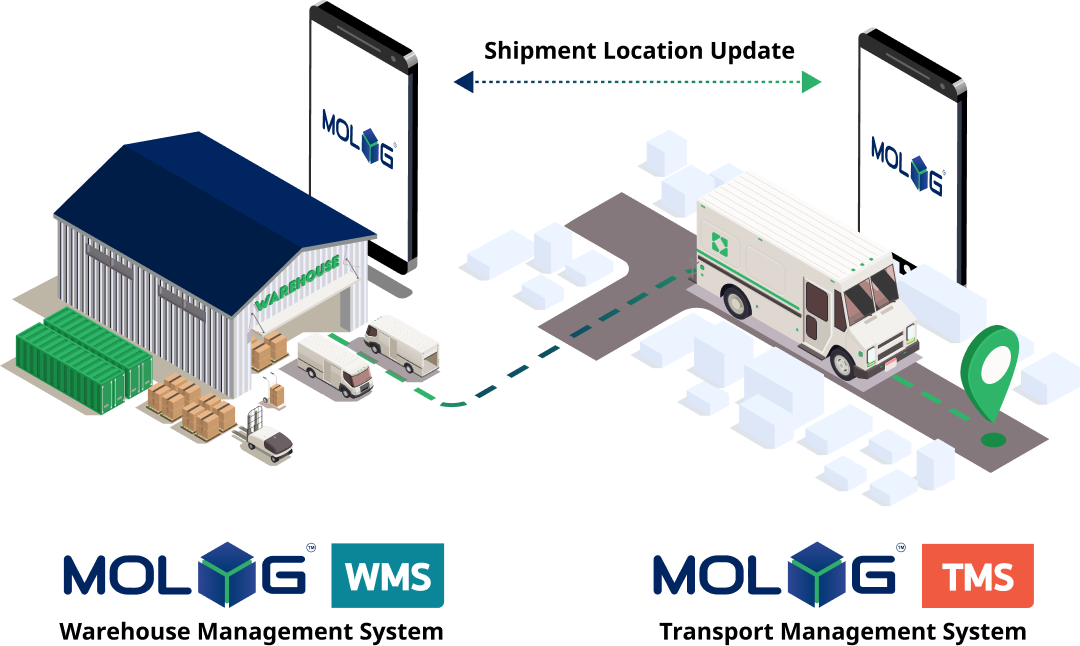
Connected to TMS

MOLOG TMS is connected WMS and OMS for
Real-Time order tracking status

WMS TMS

Our services

MOLOG is designed to connect
the entire logistics system together!

image 5

Warehouse Management System (MOLOG WMS)

Manage your warehouse
effectively and minimize errors
and on site issues for your
business

Featured Customers

Ready to optimise your logistics system ?

Have questions for us ? Our team is ready to help you

Common Trading Business WMS Challenges — Solved by MOLOG

Trading businesses need a WMS that connects Purchasing → Warehousing → Selling in one unified system

Stock levels don't update in real time — causing overselling

When the sales system and warehouse system are separate, stock levels lag. Sales teams accept orders beyond actual inventory, forcing order cancellations that damage customer relationships.

Goods received from suppliers don't match the PO

Without automatic PO-matching at receiving, shortfalls and wrong specifications from suppliers go unnoticed — surfacing as customer problems weeks or months later.

Multiple warehouses with no unified stock view

Managing branches separately makes it impossible to see combined available stock in one place. This leads to misrouted transfers and duplicate purchasing across locations.

FEFO/FIFO not enforced for FMCG and perishables

Without system-enforced FEFO (First Expire First Out), pickers choose items by convenience. Goods expire in the warehouse before they're sold, creating write-off losses.

COGS errors because WMS doesn't sync with ERP

When the WMS isn't integrated with accounting, Cost of Goods Sold is calculated incorrectly. Financial statements are unreliable and margin analysis can't be trusted.

No automatic Reorder Point alerts

Purchasing teams check stock levels manually every day. When they miss a reorder, stockouts happen before the next PO arrives — costing sales and customer goodwill.

FAQ — MOLOG WMS for Trading Businesses

How does MOLOG WMS prevent overselling?

MOLOG WMS updates stock levels in real time on every transaction — Receiving, Pick, Pack, and Adjustment. All sales channels see the true available stock at all times. The system can also reserve stock when an order is accepted, blocking double-selling before it starts.

How does MOLOG's PO Matching work?

When goods arrive, MOLOG WMS automatically validates them against the Purchase Order — checking SKU, quantity, and condition. Any discrepancy is flagged immediately, enabling the procurement team to raise a claim with the supplier while evidence is still fresh.

Does MOLOG WMS support multi-warehouse management?

Yes. MOLOG WMS manages multiple warehouses in a single system. You can view combined stock across all branches on one screen, define sourcing rules for which warehouse fulfils which orders, and transfer stock between locations with full traceability.

How does MOLOG's Reorder Alert system work?

Set a Minimum Stock Level and Reorder Point per SKU. When stock drops below your threshold, the system automatically creates a Purchase Requisition or sends an alert to the purchasing team — ensuring no reorder is missed.

Privacy Preferences

Allow All
Manage Consent Preferences
  • Always Active

Save